RS_AsImage
Introduction: Returns a HTML that when rendered using an HTML viewer or via a Jupyter Notebook, displays the raster as a square image of side length imageWidth. Optionally, an imageWidth parameter can be passed to RS_AsImage in order to increase the size of the rendered image (default: 200).
Format: RS_AsImage(raster: Raster, imageWidth: Integer = 200)
Return type: String
Since: v1.5.0
SQL Example
SELECT RS_AsImage(raster, 500) from rasters
SELECT RS_AsImage(raster) from rasters
Output:
"<img src=\"data:image/png;base64,iVBORw0KGgoAAAANSUhEUgAAAAUAAAAECAAAAABjWKqcAAAAIElEQVR42mPgPfGfkYUhhfcBNw+DT1KihS6DqLKztjcATWMFp9rkkJgAAAAASUVORK5CYII=\" width=\"200\" />";
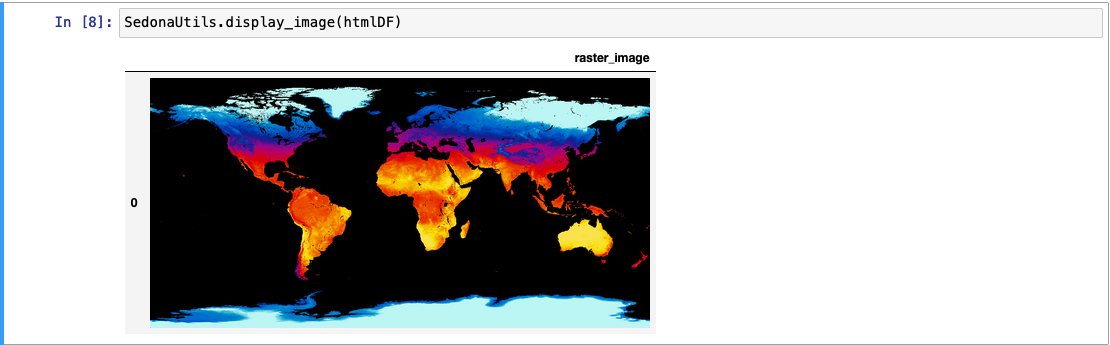
Display raster in Jupyter
Introduction: SedonaUtils.display_image(df) is a Python wrapper that renders raster images directly in a Jupyter notebook. It automatically detects raster columns in the DataFrame and applies RS_AsImage under the hood, so you don't need to call RS_AsImage yourself. You can also pass a DataFrame with pre-applied RS_AsImage HTML.
Since: v1.7.0 (auto-detection of raster columns since v1.9.0)
Example — direct raster display (recommended):
from sedona.spark import SedonaUtils

df = (
    sedona.read.format("binaryFile")
    .load(DATA_DIR + "raster.tiff")
    .selectExpr("RS_FromGeoTiff(content) as raster")
)

# Pass the raw raster DataFrame directly — RS_AsImage is applied automatically
SedonaUtils.display_image(df)
Example — with explicit RS_AsImage:
htmlDF = df.selectExpr("RS_AsImage(raster, 500) as raster_image")
SedonaUtils.display_image(htmlDF)