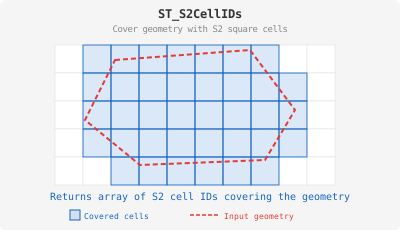
ST_S2CellIDs
Introduction: Cover the geometry with Google S2 Cells, return the corresponding cell IDs with the given level. The level indicates the size of cells. With a bigger level, the cells will be smaller, the coverage will be more accurate, but the result size will be exponentially increasing.
Format: ST_S2CellIDs(geom: geometry, level: Int)
Return type: Array<Long>
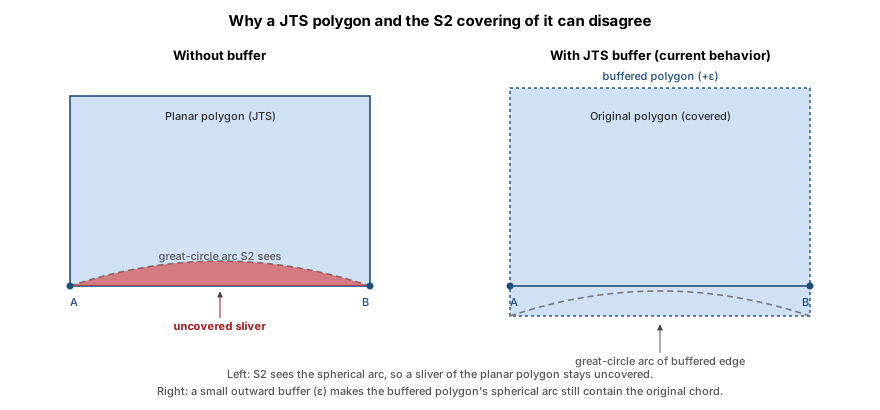
Planar input, spherical cells
Sedona geometry type objects are planar: an edge between two vertices is a straight line in
(longitude, latitude) space. S2 cells are spherical: an edge between two vertices is a
great-circle arc on the unit sphere. The two interpretations agree at the vertices but not
along the edges — for example, a great-circle arc connecting two points at the same
non-equatorial latitude bulges toward the nearer pole rather than following the parallel.
Without compensation this would let the returned cells under-cover the original planar
geometry along long, non-meridional edges (the bug reported in
GH-2857). To prevent that, ST_S2CellIDs
JTS-buffers the input by an upper bound on the great-circle/chord deviation before
converting it to an S2 region. The result is a covering that always contains the
original planar geometry, at the cost of a small number of extra boundary cells. Inputs
that are themselves spherical (e.g. polygons whose edges are explicitly meridians or the
equator) see no additional cells.
For LineString and MultiLineString inputs the buffer turns the line into a polygon
corridor, so the returned cells cover a thin strip around the line rather than only
cells the line geometrically passes through. Use a sufficiently fine level to keep the
corridor narrow.
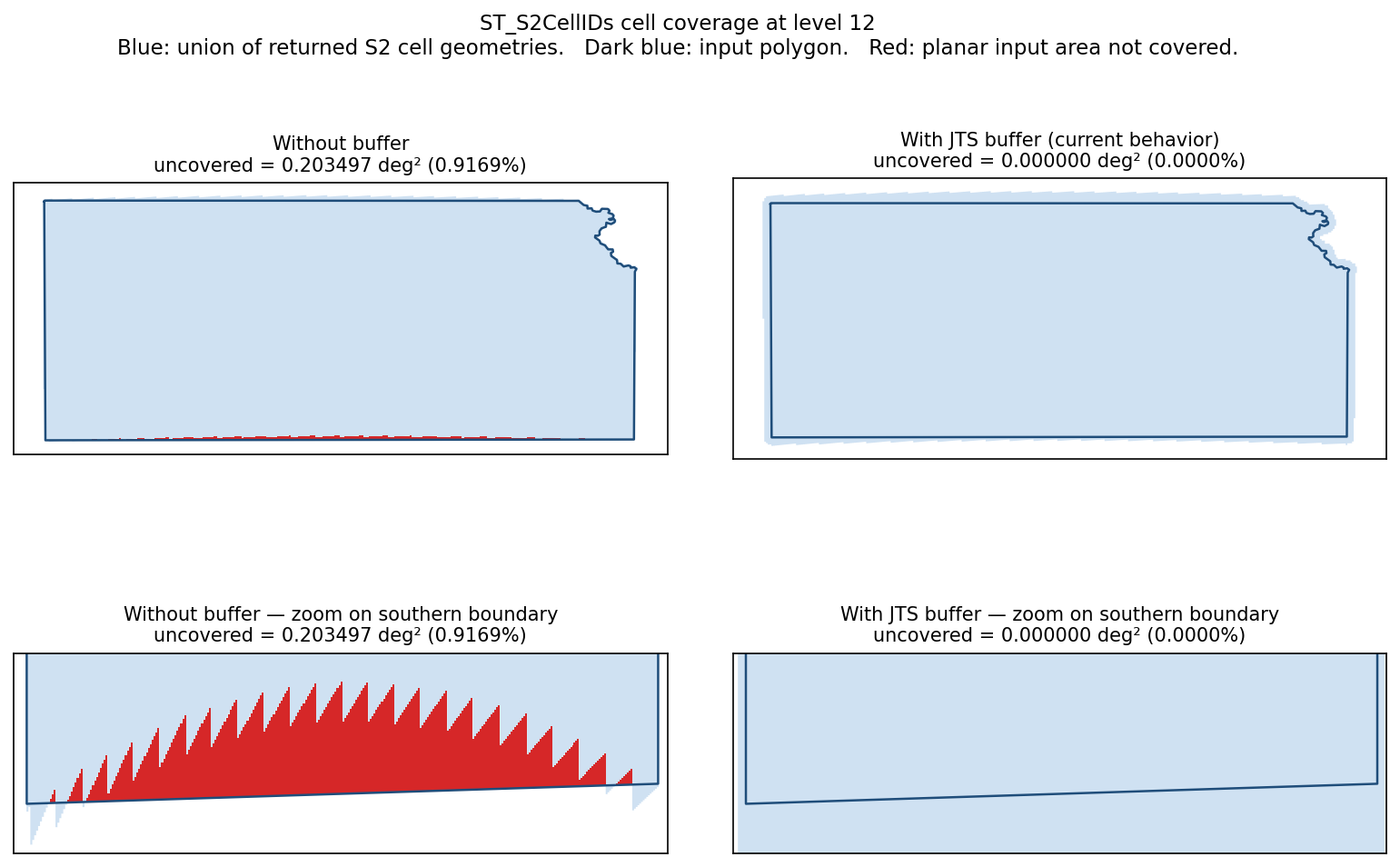
The plot below shows the empirical effect on a real polygon at level 12. Blue is the union of returned cell geometries, dark blue is the input outline, red is planar input area not covered. With the buffer, the cells extend slightly outside the polygon and coverage is complete; without it, slivers concentrate along long non-meridional edges.
SQL example:
SELECT ST_S2CellIDs(ST_GeomFromText('LINESTRING(1 3 4, 5 6 7)'), 6)
Output:
+------------------------------------------------------------------------------------------------------------------------------+
|st_s2cellids(st_geomfromtext(LINESTRING(1 3 4, 5 6 7), 0), 6)                                                                 |
+------------------------------------------------------------------------------------------------------------------------------+
|[1159395429071192064, 1159958379024613376, 1160521328978034688, 1161084278931456000, 1170091478186196992, 1170654428139618304]|
+------------------------------------------------------------------------------------------------------------------------------+